
The short version
- Get the template as a Google Sheets copy in one tap, an Excel file, a CSV or a printable PDF. Free, no email, no sign-up.
- It has 18 columns. Planned risk, result and R multiple fill themselves from your entry, exit, stop and size.
- Point values for 12 CME futures (MNQ, MES, NQ, ES and more) are built in, read from CME Group on Nov 10, 2026.
- A Daily review tab adds up each day and shows how much room is left under your daily loss limit.
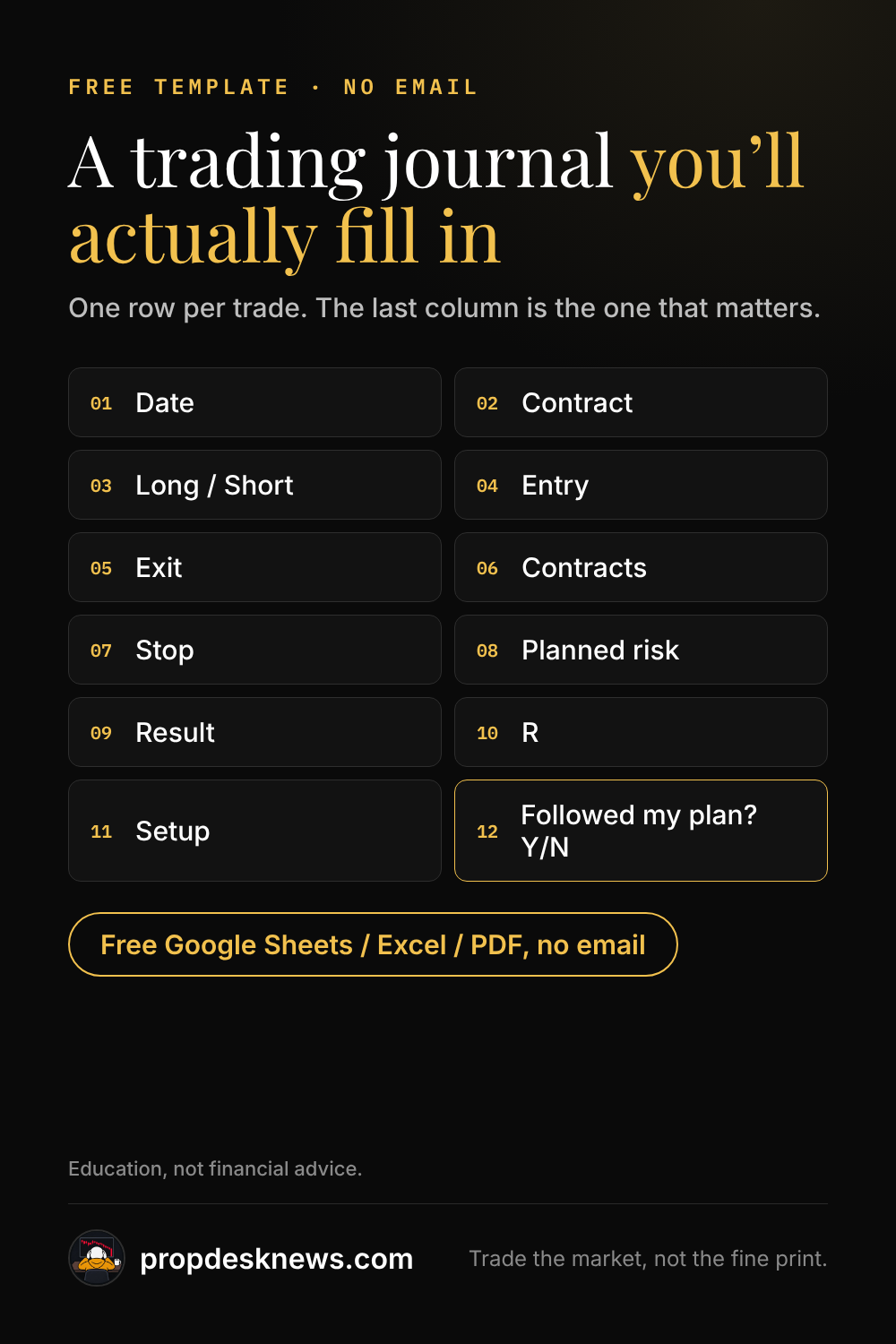
- The column that matters most is "Followed my plan? (Y/N)". Review it every week before you look at dollars.
Education, not financial advice. The template is a tool for reviewing your own trades; it does not tell you what to trade.
Download the free template
Pick the version you'll actually use. All three are free and there's no email gate.
Google Sheets: tap Make a copy and Google saves your own copy to your Drive, with the formulas and dropdowns. You need to be signed in to Google; we never see your copy.
The column I'd never drop is "did I follow my plan". It tells me more than the profit column does.
Excel or Numbers: open the .xlsx directly. Notion or another app: import the CSV, which has the same 18 column headers. Paper: print the PDF, one page holds 16 trades.
What each column is for
Every column earns its place by answering a question you'll ask in your weekly review.
Four columns (point value, planned risk, result and R multiple) fill themselves, so you only type what happened.
| Column | What you write | Why it matters |
|---|---|---|
| Date, contract, long/short | When and what you traded, and which way. | The basics every review starts from. |
| Entry time, entry and exit price | Your fills. | Shows which hours you trade well and which you should skip. |
| Contracts | How many you traded. | Size creep after a loss shows up here first. |
| Stop (points) | Where your stop was when you entered. | A trade with no stop written down is the first thing to fix. |
| Point value ($) | Fills itself from the contract (MNQ $2, MES $5). | Turns points into dollars. |
| Planned risk ($) | Fills itself: stop x contracts x point value. | The number to compare with your daily loss limit before you click. |
| Fees ($) | Commissions for the round trip. | Fees are part of the result. |
| Result ($) | Fills itself from entry, exit and size, minus fees. | Your real P&L per trade. |
| R multiple | Fills itself: result divided by planned risk. | A +1R day and a -3R day tell you more than dollars do. |
| Setup | A short name for the reason you took the trade. | After 30 trades you can see which setups pay. |
| Followed my plan? (Y/N) | Yes or no, honestly. | The column that improves your trading the most. |
| Rule broken, emotion (1-5), notes | What went wrong, how you felt, a screenshot link. | Patterns in these three explain most losing days. |
How the template does the math
Planned risk is your stop in points times your contracts times the contract's point value.
One MNQ contract with a 20-point stop risks 20 x 1 x $2 = $40. One MES contract with the same 20-point stop risks $100, because an MES point is worth $5. The MNQ vs MES cheat sheet has all 12 point values.
Result is exit minus entry (flipped for shorts), times contracts and point value, minus fees. R multiple is result divided by planned risk: a $40 win on a $40 risk is +1R.
To size a trade before you take it, use the position size calculator; the journal is for what happened after.
A 10-minute weekly review
Writing trades down only helps if you read them back. Once a week, go through these in order.
- Count the "N" answers in Followed my plan. Fix those first, whatever the dollars say.
- Check the Daily review tab: on how many days did you get close to your daily loss limit?
- Sort by Setup. Which one has the best average R over at least 20 trades?
- Sort by Entry time. Are your losers bunched in one hour?
- Read the Rule broken and Emotion columns together. Write one thing to change next week.
If you trade a prop evaluation, the review also tells you how far you are from the drawdown. The drawdown runway calculator shows how many losing days your account can take.
When to move to a journal app
A spreadsheet is enough for your first few hundred trades. An app starts to pay when typing fills by hand takes longer than the review itself.
Apps like TradeZella, TraderSync and TradesViz import trades from Tradovate, NinjaTrader and other platforms and chart your stats for you. We compare them, with prices and what each syncs, in the best trading journal for prop firms.
If you try TradeZella, this is our referral link. It is an affiliate link, and the spreadsheet above stays free either way.
Save this journal template
Questions
Is this trading journal template really free?
Yes. The spreadsheet, CSV and PDF download straight from this page with no email and no sign-up.
How do I open the template in Google Sheets?
Tap Make a copy on this page and Google saves your own copy to your Drive, with the formulas and dropdowns. You need to be signed in to Google.
What should a beginner track in a trading journal?
The date, contract, direction, entry, exit, size, stop, planned risk, result, setup, and whether you followed your plan. The template has all of these, plus rule broken, emotion and notes.
What is an R multiple?
Your result divided by the risk you planned. A $40 win on a trade that risked $40 is +1R; a $80 loss on the same plan is -2R.
Sources
Read on Nov 12, 2026:
- CME Group: Micro E-mini Nasdaq-100 contract specs ↗
- CME Group: Micro E-mini S&P 500 contract specs ↗
- Google Docs Editors Help: Import data sets in Google Sheets ↗
Spot something out of date? Email hello@propdesknews.com and we'll fix it.
Related guides

Best trading journal for prop firm traders
TradeZella, TraderSync, Tradervue, Edgewonk and TradesViz compared on sync, prop tools and price.
Updated Nov 11, 2026

Your first prop firm challenge: what to expect
Cost, 1 step vs 2 step, what happens when you pass or fail, and the age rule, from each firm's own pages.
Updated Nov 11, 2026

How much money do you need to start trading futures?
$0 sim, a $49-$675 prop evaluation, or your own account: real numbers, and what a bad week costs.
Updated Nov 12, 2026