
The short version
- Topstep's Practice Account is a free 150K simulated account. It is 150K whatever size your Trading Combine is.
- To open it: Topstep Dashboard → Accounts → Add-ons → Activate on the Practice Account card.
- You need an active Trading Combine subscription and completed ID verification. An Express Funded Account on its own doesn't qualify.
- Limits: 15 lots max position, one Practice Account at a time. It shows as PRACTICE in the account drop-down.
- Reset: Unsubscribe, then Activate again. Resets are free, up to 10 a day. Access lasts as long as your Combine subscription.
Every step is from Topstep's own help center, read on the date shown. If your dashboard looks different, follow Topstep's current page.
What is the Topstep Practice Account?
The Topstep Practice Account is a free simulated account that Topstep gives traders with an active Trading Combine, so they can test strategies and products without touching their main account. Topstep's help center lists these details:
| Detail | What Topstep says |
|---|---|
| Account size | 150K, regardless of Trading Combine size |
| Maximum position size | 15 lots |
| Accounts at once | 1 |
| Cost | Free with an active Trading Combine |
| Resets | Always free, up to 10 a day |
| Label in the platform | "PRACTICE" in the account drop-down |
From Topstep's Practice Account help page (updated Jul 28, 2026), read Nov 7, 2026.
How do you open a Topstep Practice Account?
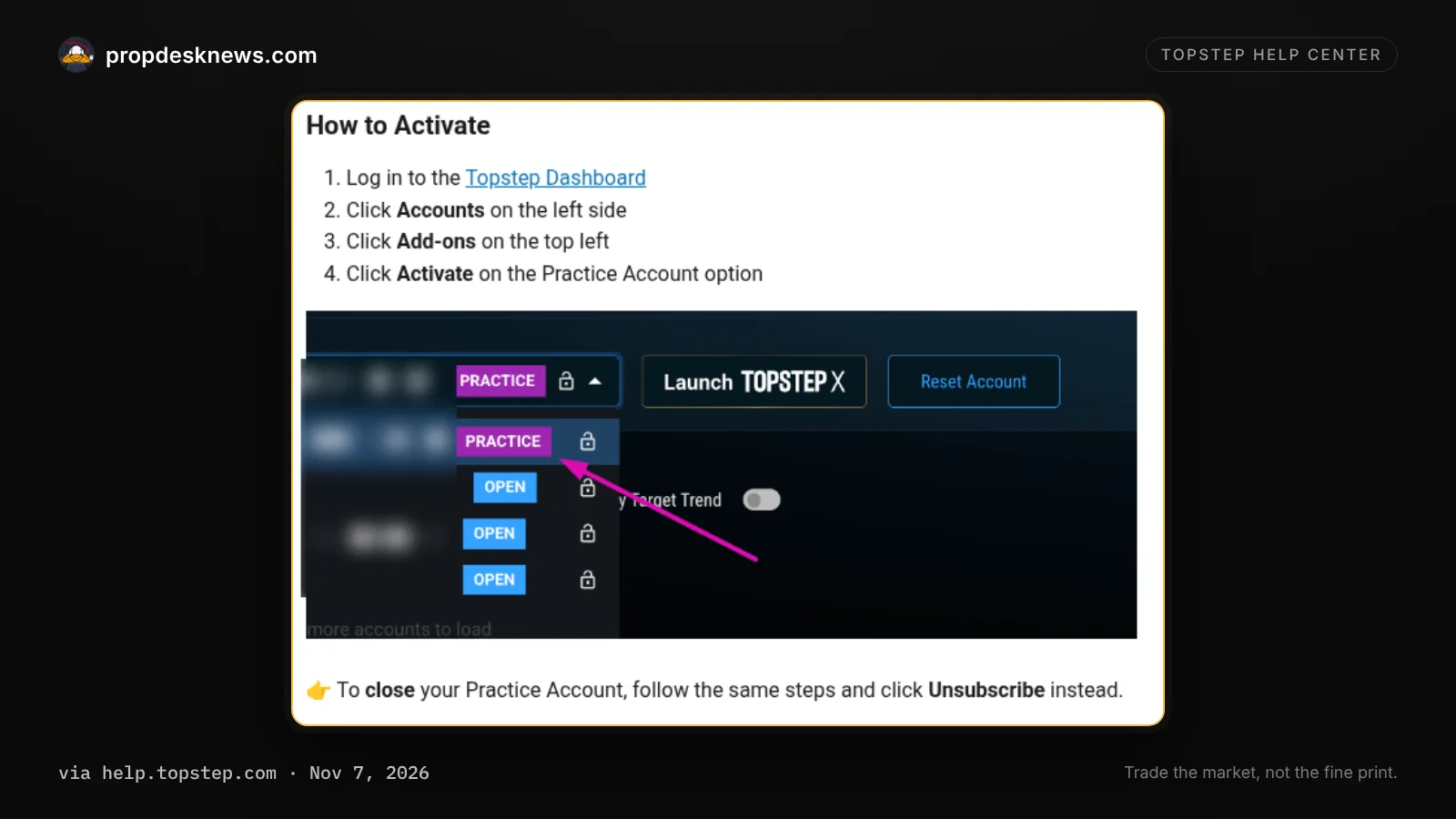
You open the Topstep Practice Account from the Topstep Dashboard, not from the trading platform. Topstep lists four steps:
- Log in to the Topstep Dashboard ↗.
- Click Accounts on the left side.
- Click Add-ons at the top left.
- Click Activate on the Practice Account card.
When it's active, pick the account marked PRACTICE from the account drop-down in your platform.
How do you reset or close a Topstep Practice Account?
Topstep handles both resets and closing through the same Add-ons screen.
- Reset: click Unsubscribe, then Activate to create a new Practice Account. Resets are free, up to 10 a day.
- Close: follow the same steps and click Unsubscribe.
- Stuck on "Ineligible": if your Combine subscription is already canceled and the Unsubscribe button is missing, Topstep says to contact its support team to close it.
Who can get a Topstep Practice Account, and who is it not for?
The Topstep Practice Account is only for traders with an active Trading Combine subscription who have completed ID verification. Topstep says the add-on won't work if your subscription is canceled or you only have an Express Funded Account.
If it won't activate, check your email for the ID verification form, finish it, and go back to the Add-ons page.
Who this isn't for: traders without an active Trading Combine, including traders who only hold an Express Funded Account. It's also not a way to earn: Topstep's add-on card calls it practice only and not eligible for funding.
What should you do next?
- No active Combine yet? See what a Combine really costs to reach a payout in the True Cost Index.
- Buying one? Check today's Topstep promo code before checkout.
- Before you trade the real Combine, read Topstep's payout and drawdown rules.
Questions
Is the Topstep Practice Account free?
Yes. Topstep says it's free with an active Trading Combine subscription, and resets are always free.
How big is the Topstep Practice Account?
150K, whatever size your Trading Combine is. The maximum position size is 15 lots.
Why can't I activate my Topstep Practice Account?
Topstep says it needs an active Trading Combine subscription and completed ID verification. It won't work if your subscription is canceled or you only have an Express Funded Account.
How many times can I reset the Topstep Practice Account?
Up to 10 times a day. Each reset is free: click Unsubscribe, then Activate.
How long can I keep the Topstep Practice Account?
As long as your Trading Combine subscription is active.
Can I have more than one Topstep Practice Account?
No. Topstep allows one Practice Account at a time.
Sources
Read on Nov 7, 2026:
Spot something out of date? Email hello@propdesknews.com and we'll fix it.
Related guides

Free trading journal template for futures traders
Free Google Sheets, Excel and PDF journal: 18 columns, risk and R filled in for you. No email.
Updated Nov 12, 2026

How much money do you need to start trading futures?
$0 sim, a $49-$675 prop evaluation, or your own account: real numbers, and what a bad week costs.
Updated Nov 12, 2026

Pre-market trading checklist for futures traders
12 steps before the open, risk first. Free printable PDF.
Updated Nov 12, 2026